

ALL macros in one archive
That's why I decided to put all the macros in one archive: Download, Скачать.
Big options dialogs patch 1.2.1 for CorelDRAW Suite


• Customization commands & toolbars
• Quickcorrect words list
• Text styles
• Page labels
• Associate & Active file filters
• Warnings & printing compatibility lists
• FontNav's duplicates finder and font properties sampler and character matrix
Download: CDRbigOptions.1.2.1.exe


Documents Ctrl-Tab switching enhancement
When you switch documents in CorelDRAW v11—X4 with Ctrl-Tab your first mouse click in the new window will be ignored making you think there's something wrong with the pointing device :-), so to select a shape you have to click once more.
I've changed this behaviour to a more comfortable and natural a year ago using AutoHotKey.
And now I've incorporated document InstaSwitch :-) feature into wx_ToggleToolbars which somehow suits its wonderful primary function (toggling of editable nearly fullscreen mode).
So this means that once the macro is installed it intercepts switching of windows sending the naughty additional click — and thus you're able to manage shapes on the very first click, no distractions!
This feature operates in CorelDRAW v12,X3,X4 and does not in v11 (no VBA event hook provided). Of course editable fullscreen toggling works in v11 as well as in v12,X3,X4 but that's the other story.
Big options dialog [patch] for CorelDRAW / PhotoPAINT 11,12,X3,X4
This patch extends size of some dialogs in DRAW & PhotoPAINT 11, 12, X3, X4 and also FontNavigator
Help files font size override
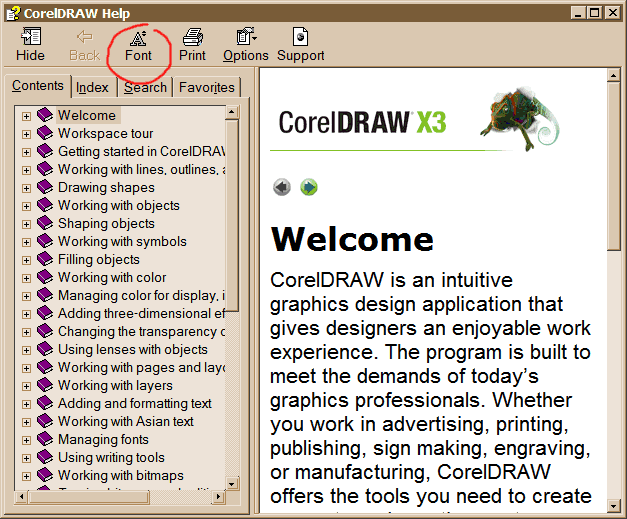
The CHMFontSize utility makes help files font larger by converting pixel/pt values hardset in internal css into corresponding percentage relative values. The utility can also apply an additional arbitrary change of the font, see textboxes in the bottom part. And finally: your help files receive an additional font changing on-the-fly toolbar button! Download: CHMFontSize.exe |  |
NodeAlign immediate control macros
NodeAlign.... macros act similar to L,R,C,T,B,E shortcuts, and can work with nodes of multiple selected objects.
wx.NodeAlignLeft, wx.NodeAlignRight, wx.NodeAlignXCenter
wx.NodeAlignTop, wx.NodeAlignBottom, wx.NodeAlignYCenter
Note: DRAW does not allow macros to see which node is selected most recently, so all the alignments are absolute e.g. NodeAlignLeft always aligns to the leftmost node. Solution: align all nodes except the target one, then add the target node to selection and invoke corresponding alignment macro depending on current visual relation of nodes
Installation: run the installer exe, and assign macros to toolbar buttons (in NodeEdit property bar mode preferably) or assign keyboard hotkeys to your taste: • [ 80 sec of online 0.5MB video tutorial ] • [ step-by-step button installation in screenshots ] • [ Macro button installer ]
Palette window on top hint
Right side of my screen is occupied by an autopopping applications launch buttons list, so using right-aligned palette isn't desirable for me. Bottom-aligned configuration eats vertical space, makes it harder to work with vertical sheets.
Here's a trick I've 'discovered'.
Undock a palette to make it float, move it to the very top of the screen, change its dimensions to one horizontal row, then find a spot near its left-bottom border that allows dragging the window and move it so that palette's minititle isn't visible.

Now whenever you click palette's dropdown icon you see the whole palette
Pretty nifty

statusbar DPI for bitmaps in DRAW X4
Currently DRAW X4 does not show DPI for bitmaps in its status bar.
Here's the macro that displays a separate small horizontal info bar when the bitmap is selected. 
The macro info window can be moved by mouse, I think it's best to put the window right over the object details status bar section.